 Capital de Tokens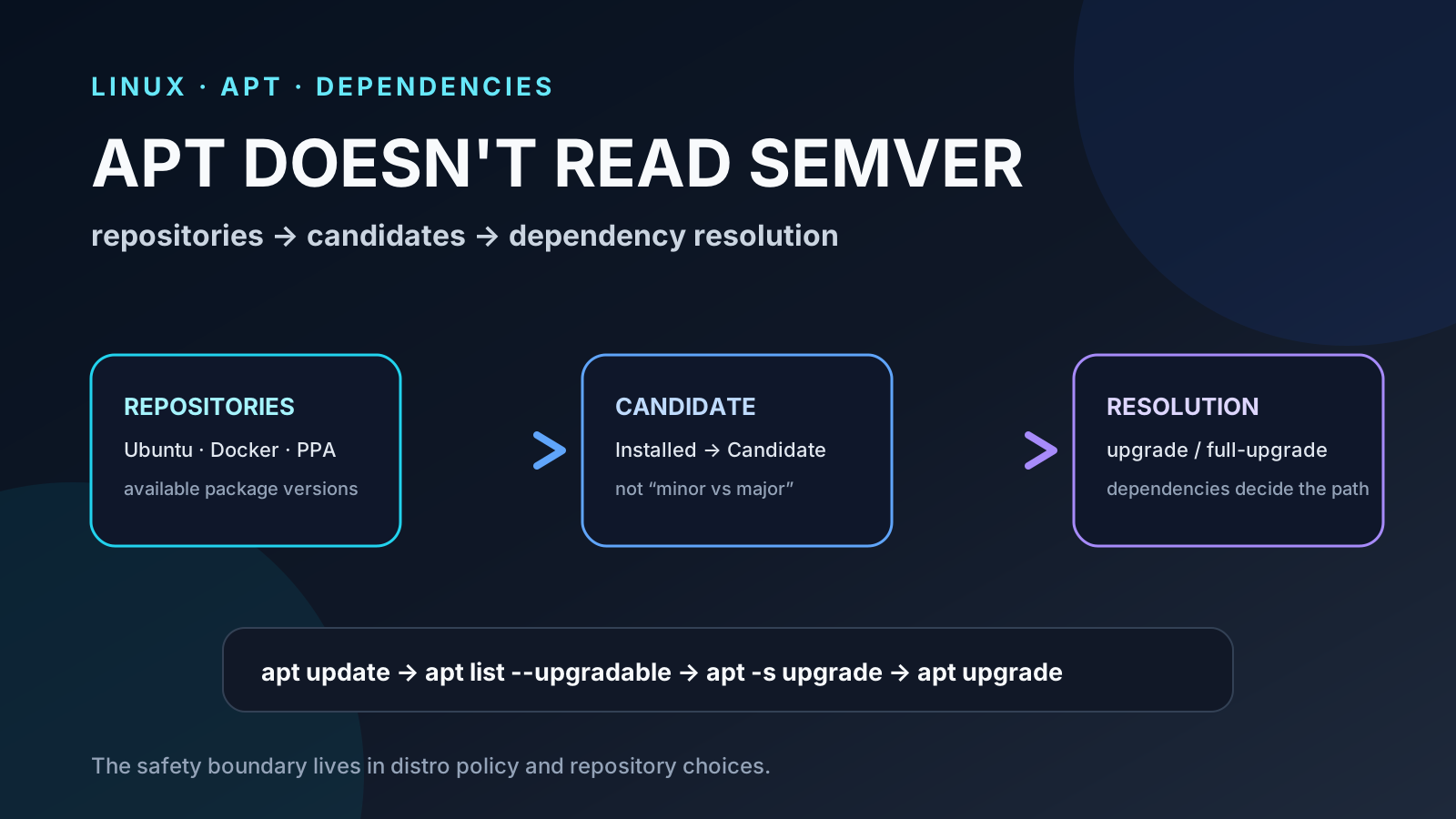
When you administer an Ubuntu server, it is easy to interpret apt upgrade through a SemVer mindset:
“Does this only install minor and patch releases? Are major versions blocked?”
The short answer is no.
APT does not decide whether an update is “safe” by checking whether a version goes from 1.4.2 to 1.5.0 or from 1.x to 2.x. Its model is built around package versions, repositories, dependencies, and distribution policy.
That changes how these familiar commands should be understood:
sudo apt update
apt list --upgradable
sudo apt upgrade
sudo apt autoremove
The important part is not memorizing each command. It is understanding where breaking-change risk actually comes from.
The quick map
| Command | What it does | Can install new packages | Can remove installed packages |
|---|---|---|---|
apt update | Refreshes the local package index | No | No |
apt list --upgradable | Shows installed packages with an upgradeable version | No | No |
apt upgrade | Installs available upgrades | Yes, when required as dependencies | No |
apt full-upgrade | Upgrades while resolving more aggressive dependency changes | Yes | Yes, when necessary |
apt autoremove | Removes automatically installed dependencies that are no longer needed | Not as its main purpose | Yes |
APT’s documentation is explicit about one important distinction: apt upgrade may install new packages when they are required to satisfy dependencies, but it never removes existing installed packages. If an upgrade requires removing something, that package is not upgraded by upgrade.
full-upgrade, by contrast, may remove packages to complete the system upgrade.
Source: Ubuntu apt manpage
1. apt update: update the map, not the system
sudo apt updateThis downloads fresh package metadata from your configured repositories.
It does not upgrade curl, nginx, Python, or the kernel.
It refreshes the local index APT uses to know:
- which packages exist;
- which versions are available;
- which repositories provide them;
- which dependencies they declare.
Ubuntu describes this as refreshing the package index.
Source: Ubuntu Server — Package management
That is why it makes sense to run apt update before asking what can be upgraded.
2. apt list --upgradable: the inspection step
After refreshing the index:
apt list --upgradableAPT shows installed packages for which it knows about an upgradeable version.
Simplified example:
curl/noble-updates 8.5.0-2ubuntu10.6 amd64 [upgradable from: 8.5.0-2ubuntu10.5]
git/noble-updates 1:2.43.0-1ubuntu7.3 amd64 [upgradable from: 1:2.43.0-1ubuntu7.2]
You can read that as:
package   available version              installed version
curl      8.5.0-2ubuntu10.6              8.5.0-2ubuntu10.5
git       1:2.43.0-1ubuntu7.3            1:2.43.0-1ubuntu7.2
Nothing is changed.
APT’s manpage defines list --upgradable as a way to filter for upgradeable versions.
Source: Debian apt(8)
On a production server, this is a useful boundary between discovering and mutating.
3. apt upgrade does not mean “minor versions only”
This is the common misconception.
sudo apt upgradeAPT does not consult SemVer.
There is no internal rule like:
1.2.3 -> 1.2.4 = allowed
1.2.3 -> 1.3.0 = allowed
1.2.3 -> 2.0.0 = blocked
APT works with the candidate version offered by your repositories and with dependency resolution.
The protection users normally experience on stable Ubuntu releases comes mainly from Ubuntu, not from a “major version” rule inside APT.
Ubuntu is a fixed-release distribution. During a stable release’s supported lifetime, security updates are generally delivered as backported fixes to preserve compatibility, while Stable Release Updates follow rules intended to keep the release stable and predictable.
Sources:
In other words:
APT installs what the repository presents as the candidate version; Ubuntu controls what reaches the official repositories for that release.
4. So where do breaking changes appear?
There are several places.
Ubuntu release upgrades
Moving from one Ubuntu release to another is a separate operation:
sudo do-release-upgradeThat changes the repository set and introduces many newer package versions.
Ubuntu treats this differently from normal software updates and recommends reading release notes, fully updating the current system, checking free space, making backups, and reviewing third-party repositories.
Source: Ubuntu Server — Upgrade your release
Third-party repositories
This is probably the most important case on real servers.
You may have repositories from:
- Docker;
- Microsoft;
- NodeSource;
- PostgreSQL;
- GitHub CLI;
- HashiCorp;
- NVIDIA;
- PPAs.
Those repositories do not have to follow Ubuntu’s exact stability policy.
If one publishes a new version as the candidate, APT does not say:
“This looks like a major bump, better refuse it.”
That is why a machine with only official repositories and another with six external repositories can behave very differently under the same apt upgrade.
Dependency changes
An update may require new dependencies.
apt upgrade can install them.
But if completing the update requires removing an installed package, upgrade will not perform that update.
That is where this comes in:
sudo apt full-upgradefull-upgrade has more freedom: it may install and remove packages to resolve the system state.
That makes it useful, but also worth inspecting more carefully on sensitive servers.
5. Do not assume “held back” means something broke
Sometimes apt upgrade reports packages being kept back.
Dependencies can cause this, but Ubuntu also uses phased updates.
Phased updates are first offered to a subset of machines and then expanded if serious regressions do not appear.
Ubuntu also notes that security updates are not phased.
Source: Ubuntu Server — apt upgrade and phased updates
So output like:
The following packages have been kept back:
  some-package
does not automatically mean you should force the upgrade.
6. Inspect a specific package
If something in apt list --upgradable looks important:
apt policy docker-ceor:
apt policy nginxmay show:
Installed: 1.24.0-...
Candidate: 1.24.0-...
Version table:
   ...
The useful fields are:
Installed: what you have now;Candidate: what APT wants to install;- the source of each version;
- repository priority.
That is a much better way to answer “what is APT about to install?” than guessing from major/minor numbers.
7. Simulate before touching production
You can ask APT to calculate the operation without applying it:
sudo apt -s upgradeYou will also often see:
sudo apt upgrade --dry-runOn servers, simulation can reveal:
- packages that would be upgraded;
- new dependencies;
- held packages;
- unexpected changes.
And before a full-upgrade, that inspection matters even more.
8. apt autoremove: cleanup, but still removal
sudo apt autoremoveAPT identifies packages that were installed automatically as dependencies and are no longer needed.
That can free disk space and remove old kernels or libraries.
But “automatically installed” does not mean “impossible to need”.
On an important machine, review the removal list before confirming.
9. Holding a package
APT can place a package on hold:
sudo apt-mark hold package-nameFor example:
sudo apt-mark hold docker-ceAnd remove the hold with:
sudo apt-mark unhold docker-ceThis can be useful when an application depends on a specific version, although keeping packages frozen indefinitely can also prevent security fixes from arriving.
10. A cautious server workflow
Instead of running three commands mechanically, a more observable routine is:
sudo apt update
apt list --upgradable
sudo apt -s upgrade
sudo apt upgrade
sudo apt autoremove
And for sensitive packages:
apt policy docker-ce
apt policy nginx
apt policy postgresql
If the system proposes something unexpected, you can stop before mutating it.
The important idea
The right mental model is not:
apt upgrade = minor
full-upgrade = major
It is:
configured repositories
        ↓
candidate versions
        ↓
Ubuntu / vendor policy
        ↓
dependency resolution
        ↓
apt upgrade or full-upgrade
APT is not a SemVer gatekeeper.
On an Ubuntu LTS machine using official repositories, much of the stability comes from distribution policy, backports, and the Stable Release Update process.
On a machine filled with external repositories, that trust boundary changes.
That is why apt list --upgradable, apt policy, and simulation are so useful: they turn an update from “run it and hope” into an operation you can inspect before applying.