 Capital de Tokens
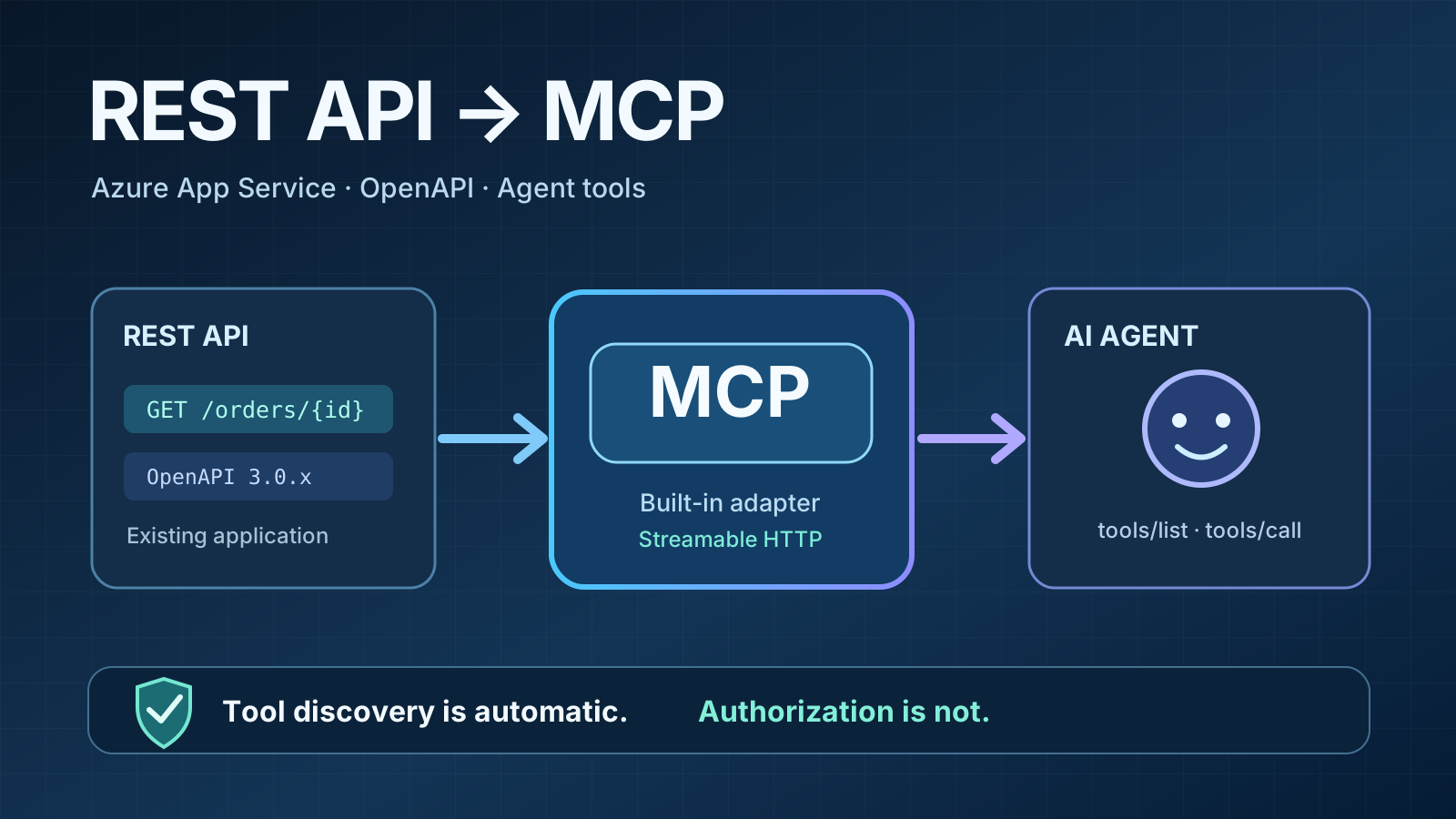
An enterprise REST API may have been serving HTTP requests for years without ever being designed for AI agents. Must it be rewritten before an assistant can retrieve data or perform an operation? Azure App Service now offers another path: generate a Model Context Protocol (MCP) server from the existing API’s OpenAPI specification.
The feature is in preview as of October 2026, under AI → MCP servers in the App Service portal. Its promise is precise: turn REST operations into discoverable tools without writing or deploying custom MCP-server code.
Security work does not disappear. Exposing tools to an agent is not the same as authorizing it to use them. Here is how the architecture fits together, what Microsoft supports, and what should be checked before connecting a production system.
From HTTP and OpenAPI to MCP
Model Context Protocol standardizes how AI clients connect to tools and external sources. Here the agent does not gain direct database access: it uses tools backed by existing HTTP routes.
The simplified flow looks like this:
MCP-compatible client or AI agent
             |
     MCP over Streamable HTTP
             |
      Azure App Service /mcp
        (reads OpenAPI)
             |
      tools/list · tools/call
             |
       Existing REST API
             |
   Backend authorization and rules
             |
       Business data and actions
Suppose the spec defines GET /orders/{id} with operationId: get_order. Azure can expose a tool named get_order. The client discovers it through tools/list, invokes tools/call, and the built-in MCP layer maps the invocation to the REST operation.
This does not create a REST API for a website that lacks one, and it does not add an in-app chatbot. You still need a reachable REST API, a valid OpenAPI document, and a compatible MCP client. Check the availability and setup requirements of any specific client, including ChatGPT, independently: enabling an endpoint does not connect it automatically.
Prerequisites: two easy-to-miss blockers
Microsoft lists two key requirements:
- App Service on a dedicated Basic tier or higher. Free, Shared, Consumption, and Flex Consumption plans are not supported.
- OpenAPI 3.0.x in JSON or YAML. OpenAPI 3.1.x is not supported in this preview and may result in an empty tool list.
ASP.NET Core, FastAPI, NestJS, and other frameworks can usually generate the specification. If the API already publishes its OpenAPI file, inspect the version and operations before reusing it.
Use meaningful operationId values such as list_orders and get_order. If they are absent, the platform falls back to tool names derived from HTTP methods and paths, which are generally less descriptive.
How to enable it in the Azure portal
Microsoft documents a short setup path:
- Open the App Service hosting the REST API.
- Navigate to AI (preview) and open MCP servers.
- Select Create MCP server.
- Choose a server identifier and endpoint path (for example
/mcp/orders), add a description, and upload the OpenAPI 3.0.x file. - Configure and verify authentication before connecting real clients; save and inspect the published tool list.
The OpenAPI document lives on the application’s file system, with a default location of /home/data/.ai/apispec.json. Microsoft warns that portal uploads larger than 15 KB may be truncated when Kudu access is not enabled. For larger specs, use a suitable deployment mechanism and verify the resulting file.
The endpoint then resembles:
https://my-api.azurewebsites.net/mcp/ordersThis is a fictional example, not a real application address. Besides the portal, the aiIntegration property of Microsoft.Web/sites can be managed through Azure CLI (az rest) or Bicep for infrastructure-as-code deployments.
MCP client example: VS Code with GitHub Copilot
A client supporting remote HTTP MCP servers can use configuration similar to .vscode/mcp.json:
{
  "servers": {
    "orders": {
      "type": "http",
      "url": "https://my-api.azurewebsites.net/mcp/orders"
    }
  }
}
The file only supplies the connection address. It does not grant access or replace server validation. Where required, the client still needs to complete OAuth and send a valid token.
Security: MCP is not your authorization boundary
This is the central production concern.
1. Do not publish every operation by default. ToolList defaults to ["*"], exposing all operations in the OpenAPI document as MCP tools. An explicit allowlist such as ["get_order", "list_orders"] limits that surface and prevents newly documented operations from automatically appearing. A tool allowlist is not a substitute for per-user permissions.
2. Authenticate the MCP endpoint. Microsoft recommends App Service Authentication backed by a supported identity provider such as Microsoft Entra. A protected MCP server needs the appropriate client registration, audience, scopes, and protected-resource metadata. Built-in MCP does not issue tokens or act as an authorization server.
3. Authorize every underlying REST route. Microsoft’s documentation distinguishes endpoint authentication from bearer-token validation and authorization on the underlying HTTP endpoints. A user permitted to view orders must not be able to alter them merely because a tool appears in discovery. A successful tools/list response proves very little about route-level security.
4. Start with carefully selected read-only operations. A small set of GET routes can be a pragmatic first step, but HTTP method choice alone does not guarantee a handler has no side effects. Test actual behavior, tenant isolation, input validation, sensitive response fields, and least privilege.
5. Treat agent inputs as untrusted. Malicious prompts or untrusted retrieved material can influence which tool an agent tries to invoke. Enforce policy on the server, add usage limits and audit trails, and require human approval for consequential actions such as refunds, cancellations, and price changes. Keep secrets out of OpenAPI descriptions and logs.
The responsibility split is easier to see as a table:
| Control | What Azure provides | What you must provide |
|---|---|---|
| Tool discovery | OpenAPI-to-MCP mapping | Select which operations to expose |
| MCP endpoint access | App Service Authentication integration | Identity, OAuth, audiences and scopes |
| Business permissions | Not established by ToolList | Token validation, roles, tenants and REST route checks |
| Sensitive operations | Ability to filter tools | Approvals, auditing and limits |
| API changes | OpenAPI hot reload | Review changes in contract and exposed capabilities |
Preview limitations and when a custom MCP server fits better
The preview supports one MCP server per App Service, using Streamable HTTP. It exposes tools that correspond to OpenAPI operations. If you need MCP resources or prompts, multi-step tools, aggregation logic, or behavior not backed by a single REST operation, Microsoft recommends building a server with an MCP SDK.
Cost is another distinction: requiring Basic or higher establishes the hosting baseline but does not prove any particular monthly total or that additional usage is free. Evaluate your plan, traffic and deployment expenses rather than assuming a fixed MCP price.
Pre-production checklist
- Verify an existing REST API with OpenAPI 3.0.x.
- Check the App Service plan and preview status.
- Keep an explicit allowlist of MCP tools.
- Configure authentication, client registration, audience and scopes.
- Test real authorization on every route using identities with different permissions.
- Start with low-risk reads and test data.
- Confirm redacted logging, usage limits, monitoring and rollback.
- Check that the chosen MCP client can authenticate and connect.
Conclusion
Azure App Service built-in MCP simplifies the path from an existing API to agent tools: OpenAPI describes operations, Azure publishes tools, and a compatible client invokes them. It can remove a custom integration layer when each tool maps neatly to one REST request.
What it cannot remove is the API’s fundamental responsibility: deciding who can do what. Before pressing “Create MCP server” in production, a small, deliberately exposed tool list and meaningful authorization tests are more valuable than publishing the entire specification.