 Capital de Tokens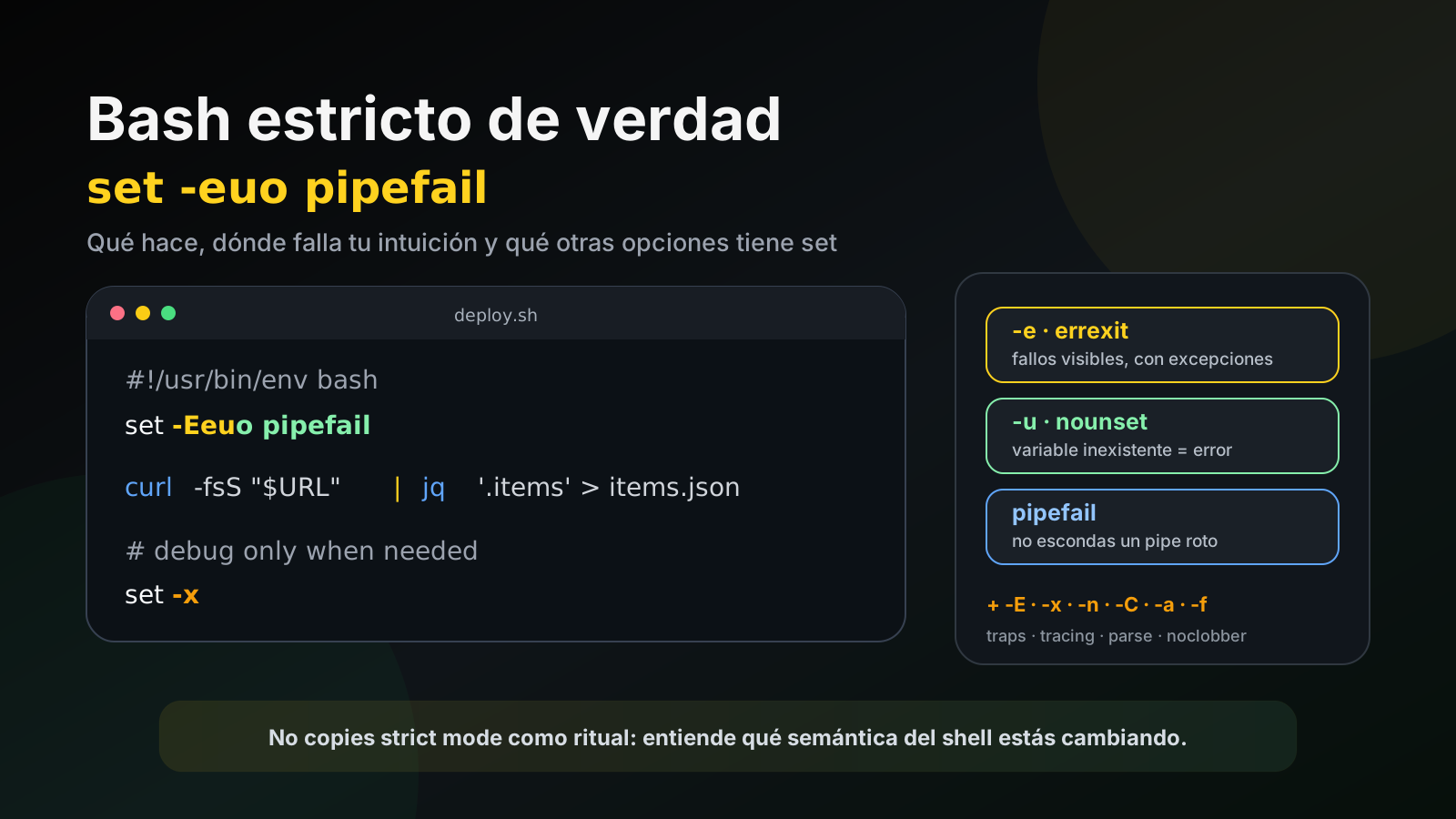
One of the most repeated headers in modern Bash scripts is:
set -euo pipefailIt is often described as Bash “strict mode.” The nickname is useful, but technically there is no single strict mode: that line simply enables three separate behaviors that, together, make many errors stop passing silently.
The rough idea is:
-e          abort on certain failed commands
-u          fail when using undefined variables
-o pipefail expose failures from any stage of a pipeline
That is extremely useful in CI, deployment, and automation scripts. But set -e is more subtle than it first appears, and Bash exposes many other options worth knowing.
First: what set actually does
set is a shell builtin. Among other jobs, it can enable and disable behavior flags in Bash itself.
For example:
set -eenables errexit, while:
set +edisables it.
That convention can feel backwards compared with other Unix tools: with set, - normally enables an option and + disables it.
Long names also exist:
set -o errexit
set -o nounset
set -o pipefail
set -o xtrace
And you can inspect the current state with:
set -o-e: errexit
The intent of:
set -eis to terminate the script when a command returns a non-zero status.
Example:
#!/usr/bin/env bash
set -e

cp missing-file.txt /tmp/
echo "we should not get here"
cp fails, so Bash normally exits before reaching the echo.
This helps prevent a dangerous sequence:
critical command fails
        ↓
the script keeps going
        ↓
later steps operate on incomplete state
        ↓
the original error gets buried
But -e does not literally mean “any non-zero code always aborts.”
The big -e trap: shells need failures as part of normal control flow
Shell commands use exit statuses to make decisions.
For example:
if grep -q foo file.txt; then
  echo "found"
fi
grep -q returns 1 when it does not find the pattern. That should not kill the script: it is exactly the condition the if is testing.
For that reason Bash suppresses errexit in several contexts where failure can be part of control flow, including many uses inside:
if
while
until
&&
||
!
pipelines, subject to the pipeline's final status rules
For example:
set -e

false || echo "false was expected"
echo "the script continues"
This is deliberate.
The practical conclusion is important: set -e is a safety net, not a formal error-handling system.
For critical operations, it is still wise to state which failures are expected and which are fatal:
if ! deploy; then
  echo "deploy failed" >&2
  exit 1
fi-u: nounset
With:
set -ureferencing an undefined variable becomes an error.
Without nounset:
echo "$API_TOKEN"may silently expand to an empty string if API_TOKEN was never defined.
In deployment scripts that can be dangerous.
With set -u, Bash catches the mistake immediately.
When a variable is intentionally optional, make that explicit:
name="${NAME:-default}"Or require it with a useful message:
: "${API_TOKEN:?API_TOKEN is required}"That second form errors if the variable is missing or empty.
pipefail: the failure hidden inside a pipeline
Consider:
generate_data | transform | saveBy default, a pipeline’s status is generally the status of the last command.
So something conceptually as simple as:
false | truecan finish with status 0, because true was the final stage.
With:
set -o pipefailthe pipeline reports failure if a relevant stage fails.
That is why:
set -euo pipefailis much more useful than set -e alone for scripts that process data through pipes.
A common example is:
curl -fsS "$URL" | jq '.items' > items.jsonWithout pipefail, an early failure can be masked by another process that exits successfully.
So what does set -euo pipefail really mean?
A more accurate way to remember it is:
-e
surface many command failures instead of blindly continuing

-u
do not turn missing variables into empty strings without warning

pipefail
do not hide a failure in an intermediate pipeline stage
It is an excellent baseline for many non-interactive scripts.
-E: inherit the ERR trap
A very useful extension is:
set -Ealso known as errtrace.
If you define:
trap 'echo "failed at line $LINENO" >&2' ERR-E causes the ERR trap to be inherited in more contexts, such as functions and some subshells.
That is why you often see:
set -Eeuo pipefailExample:
#!/usr/bin/env bash
set -Eeuo pipefail

trap 'echo "error at line $LINENO" >&2' ERR

build() {
  false
}

build
For CI and deployment scripts, -E can significantly improve diagnostics.
Watch out for subshells and command substitution
There is another subtle point here.
A substitution such as:
value="$(command)"runs in a subshell environment. Historically, Bash has not always inherited errexit inside that context in the way users expect.
Bash provides:
shopt -s inherit_errexitso command substitutions inherit -e more consistently. POSIX mode also affects this behavior.
The broader lesson is simple: if your script’s correctness depends on a very specific errexit edge case, test that edge case explicitly.
-x: xtrace, Bash’s simplest debugger
To see commands as Bash executes them:
set -xExample:
set -x
name="demo"
echo "$name"
set +x
Bash prints expanded commands before execution.
This is extremely useful in GitHub Actions, installation scripts, and remote troubleshooting.
But there is an important risk: it can print secrets.
So tracing is often disabled around credentials:
set +x
TOKEN="$(get_token)"
set -x
Better yet, design scripts so secrets do not appear in visible command arguments at all.
-v: print input as Bash reads it
set -v and set -x sound similar but show different things.
set -vprints input lines as Bash reads them.
set -xprints commands after relevant expansions, just before execution.
For practical debugging, -x is usually more useful.
-n: parse without executing
With:
set -nBash reads commands but does not execute them.
For checking an entire file, it is usually clearer to run:
bash -n deploy.shThat is a cheap CI check for shell scripts.
It does not replace ShellCheck or tests, but it catches syntax errors before production is touched.
-C: noclobber, prevent accidental overwrites
With:
set -Ca redirection such as:
echo data > file.txtfails if the target file already exists.
That protects against accidental clobbering.
If you deliberately want to overwrite it, Bash provides:
echo data >| file.txtThis can be useful in artifact-generation scripts where silently replacing an existing file would be a bug.
-a: automatically export variables
With:
set -avariables that are created or modified are automatically exported to child processes.
A common pattern is:
set -a
source .env
set +a

python app.py
That makes variables loaded from .env available to children without writing export on every line.
Use it carefully: it can also export variables you never intended to propagate.
-f: disable globbing
Normally Bash expands patterns such as:
*.logbefore invoking the command.
With:
set -fpathname expansion is disabled.
This can be useful when handling input containing *, ?, or [] that should not be interpreted as filenames.
Re-enable globbing with:
set +fOther set options
Bash has quite a few more. Some matter more in interactive shells than in scripts:
-b  notify      report background job completion immediately
-m  monitor     enable job control
-h  hashall     remember command locations
-B  braceexpand enable {a,b} expansion
-H  histexpand  enable ! history expansion
-P  physical    avoid logical symlink following in some directory operations
-k  keyword     place more assignment arguments into command environments
-p  privileged  alter behavior when effective and real UID/GID differ
-t  onecmd      execute one command and exit
There are also interactive editing modes exposed through set -o:
set -o vi
set -o emacs
set -o is your source of truth
Instead of memorizing everything, ask Bash:
set -oYou will see output similar to:
errexit         off
nounset         off
pipefail        off
xtrace          off
noclobber       off
...
And:
set +oprints the state in a form that can be reused as set commands, which is handy when you need to save and restore shell configuration.
A practical header for CI and deployment
For many automation scripts, a reasonable baseline is:
#!/usr/bin/env bash
set -Eeuo pipefail
During troubleshooting, temporarily add:
set -xonly around the section you need to inspect.
A trap can also provide useful context:
trap 'printf "ERROR: %s:%s: %s\n" "$0" "$LINENO" "$BASH_COMMAND" >&2' ERRThat does not turn Bash into a language with structured exceptions, but it gives CI logs a much better trail when something breaks.
Do not turn “strict mode” into dogma
There are scripts where set -e is awkward because many commands use non-zero statuses as a normal part of their API.
There is also legacy code that relies on optional variables and immediately breaks under set -u.
The right approach is not to paste set -euo pipefail mechanically into every file. It is to understand which guarantees each flag adds and to make expected failures explicit.
For example:
if grep -q pattern file; then
  echo "yes"
else
  echo "no"
fi
is better than expecting errexit to guess your intent.
The idea worth remembering
set -euo pipefail does not make Bash magically safe.
It changes several permissive defaults that can otherwise hide mistakes:
silent command failure       → visible failure
undefined variable           → error
partially broken pipeline    → error
And the other flags expand the toolbox:
-E  better ERR trap inheritance
-x  execution tracing
-v  input tracing
-n  parse without execution
-C  prevent accidental overwrite
-a  automatic export
-f  disable globbing
The important step is moving beyond copying set -euo pipefail as a ritual and understanding which shell semantics you are changing and why.