 Capital de Tokens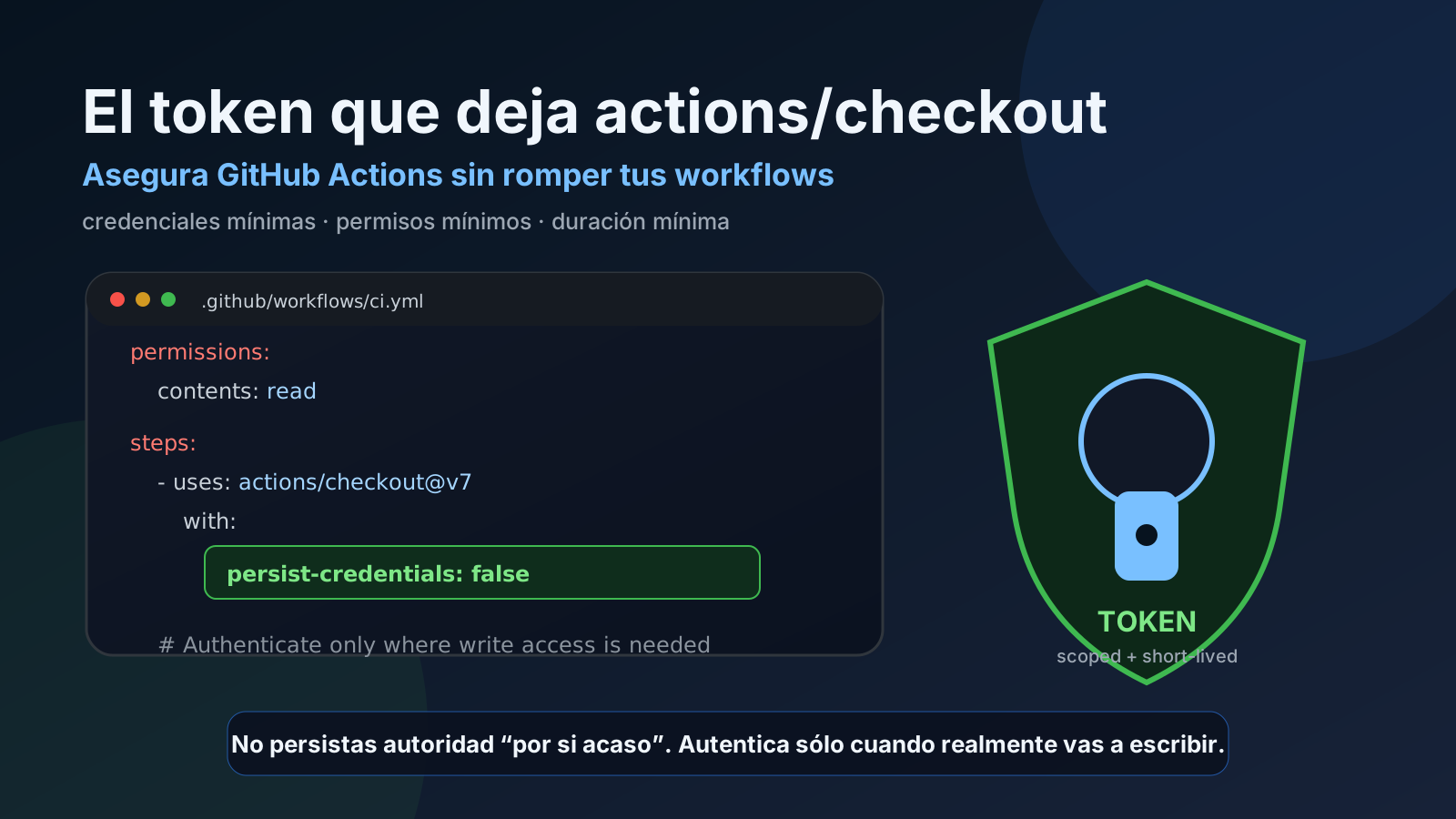
actions/checkout looks like one of the most harmless steps in a GitHub Actions workflow:
- uses: actions/checkout@v7It checks out the repository and the workflow moves on. But there is an important security decision hidden behind that convenience: by default, checkout persists credentials so later Git commands can authenticate without extra setup.
That is useful for workflows that run git push, create tags, or update branches. It also means a CI credential remains available on disk while the job is running.
The right question is not “is actions/checkout insecure?” The right question is:
Does this job actually need a Git credential after checkout?
If the answer is no, the safer default is usually explicit:
- uses: actions/checkout@v7
  with:
    persist-credentials: false
There is one important historical nuance: the behavior changed in actions/checkout@v6. Older articles and security findings describe credentials stored directly in .git/config. Starting with v6, checkout moved persisted credentials into a separate file under $RUNNER_TEMP. That meaningfully reduces the chance of accidentally packaging credentials together with the repository, but it does not remove the principle of least privilege or make persist-credentials: false unnecessary when authenticated Git operations are not required.
What checkout historically did
Older generations of actions/checkout persisted authentication in the repository’s Git configuration so subsequent Git commands could authenticate automatically. The post-job cleanup attempted to remove it at the end of the job.
The practical risk was easy to understand:
- checkout cloned the repository;
- a credential became accessible from the local Git environment;
- a later workflow step archived files, inspected
.git, executed untrusted code, or uploaded artifacts; - the secret could land somewhere it was never meant to be.
Tools such as zizmor call this family of findings artipacked: locally persisted credentials that can later leak through artifacts or other pipeline behavior.
The historical remediation was simple:
- uses: actions/checkout@v4
  with:
    persist-credentials: false
And that remains a good default when the job only needs read access.
The important checkout@v6 change
Starting with actions/checkout@v6, GitHub changed the persistence mechanism: credentials are stored in a separate file under $RUNNER_TEMP rather than directly inside .git/config.
That is a real improvement.
If a workflow uploads the checked-out repository directory as an artifact, it should no longer drag the credential along merely because .git was included. Recent zizmor versions therefore lower the severity of this finding when checkout@v6 or newer is detected.
But the improvement does not mean “problem solved.” During the job, the credential still exists on the runner and can be used for authenticated Git operations. If a later step is compromised, runs attacker-controlled code, or has excessive filesystem access, there is still an exposure surface.
The useful rule is:
If you do not need persistent Git authentication, do not keep it.
The safe pattern for read-only jobs
Builds, tests, linting, documentation generation, and static analysis usually do not need git push.
permissions:
  contents: read

jobs:
  test:
    runs-on: ubuntu-latest
    steps:
      - name: Checkout
        uses: actions/checkout@v7
        with:
          persist-credentials: false

      - run: npm ci
      - run: npm test
This combines two different defenses:
persist-credentials: falseavoids keeping Git authentication available to later steps;permissions: contents: readlimits whatGITHUB_TOKENcould do even if it were obtained.
They are not substitutes. Use both when possible.
Why persist-credentials: false can break workflows
The problem appears when a job does write back to the repository:
- uses: actions/checkout@v7
  with:
    persist-credentials: false

- run: |
    git add .
    git commit -m "update generated files"
    git push
git push can fail because Git no longer has credentials configured.
That failure often creates a bad temptation: turn credential persistence back on for the entire job even though only one step needs authentication.
A better approach is to provide authentication exactly where it is needed.
Pattern 1: use gh auth setup-git
Yann Pellegrini describes a practical approach: keep persist-credentials: false, then let GitHub CLI configure Git only in the step that performs the write.
permissions:
  contents: write

steps:
  - uses: actions/checkout@v7
    with:
      persist-credentials: false

  - name: Commit and push
    env:
      GH_TOKEN: ${{ github.token }}
    run: |
      gh auth setup-git
      git config user.name "github-actions[bot]"
      git config user.email "41898282+github-actions[bot]@users.noreply.github.com"
      git add .
      git commit -m "Update generated files"
      git push
The conceptual advantage matters: checkout does not leave authentication configured “just in case.” Authentication appears at the point where there is a concrete need for it.
On self-hosted runners or custom container images, make sure the gh CLI is installed.
Pattern 2: separate read and write responsibilities
For larger pipelines, an even stronger design is to separate jobs by responsibility.
permissions:
  contents: read

jobs:
  build:
    runs-on: ubuntu-latest
    steps:
      - uses: actions/checkout@v7
        with:
          persist-credentials: false
      - run: ./build.sh

  publish:
    needs: build
    permissions:
      contents: write
    runs-on: ubuntu-latest
    steps:
      - uses: actions/checkout@v7
        with:
          persist-credentials: false
      - name: Publish changes
        env:
          GH_TOKEN: ${{ github.token }}
        run: |
          gh auth setup-git
          ./publish.sh
Now most of the pipeline operates with read-only permissions. Only the publishing job receives contents: write.
That also reduces the blast radius of a compromised dependency in earlier stages.
What not to do: put the token in the remote URL and forget it
A classic workaround looks like this:
git remote set-url origin "https://x-access-token:${GH_TOKEN}@github.com/OWNER/REPO"
git push
It works, but the authenticated URL can be written into local configuration. You can restore the original URL afterward, but if the script fails before cleanup, the credential may remain.
Yann highlights exactly this failure mode and considers the gh auth setup-git approach safer.
If you must manipulate authenticated remote URLs, use guaranteed cleanup with trap, never print the URL, and understand precisely where the credential is stored.
permissions matters as much as persist-credentials
Suppose a credential leaks. The impact depends on what that credential can do.
This:
permissions:
  contents: write
  issues: write
  pull-requests: write
  actions: write
creates a much larger attack surface than:
permissions:
  contents: read
So GITHUB_TOKEN security has two dimensions:
- exposure: where and for how long does the credential exist?;
- capability: what can it do if somebody gets it?
Reducing only one leaves unfinished work.
CWE-522 as a useful mental model
MITRE defines CWE-522: Insufficiently Protected Credentials as a product transmitting or storing authentication credentials using a method susceptible to unauthorized interception or retrieval.
That does not mean every use of persist-credentials: true is automatically a CWE-522 vulnerability. Mapping depends on context. But CWE-522 gives us a good design question:
Am I storing a credential somewhere, or for longer, than necessary?
In CI/CD, where we execute third-party actions, package managers, compilers, scripts, and external tooling, that question should be explicit.
The special case of untrusted code
Some scenarios are more dangerous than accidental artifact leakage: workflows that process pull requests from forks or execute contributor-controlled code in privileged contexts.
actions/checkout@v7 added another relevant safeguard: it refuses to check out fork pull-request code by default when running through privileged triggers such as pull_request_target or workflow_run, unless allow-unsafe-pr-checkout: true is explicitly enabled.
The reason is the same: do not combine untrusted code with privileged credentials and permissions.
A workflow with a write-capable token that then executes code from an external pull request can turn a convenience feature into a repository-compromise path.
A simple policy that scales
Instead of debating every finding individually, adopt a default policy:
# Default for checkouts
- uses: actions/checkout@v7
  with:
    persist-credentials: false
Allow exceptions only when there is a documented reason:
- uses: actions/checkout@v7
  with:
    # This job publishes tags and needs authenticated Git.
    persist-credentials: true
Better yet, keep it false and authenticate only the write step.
The goal is not to make workflows impossible to maintain. The goal is to make the presence of a credential a conscious and localized decision, rather than a silent side effect of checkout.
Practical checklist
When reviewing a workflow, ask:
- Does this job really need
git push, tags, or authenticated fetches? - If not, is
persist-credentials: falseset? - Does
GITHUB_TOKENhave only the permissions it needs? - Are artifacts capturing
.git,$RUNNER_TEMP, or overly broad directories? - Does the workflow execute code from pull requests or other untrusted sources?
- Are third-party actions pinned appropriately?
- Can write operations be moved into a separate job?
- Can
gh auth setup-gitbe used only in the step that needs authentication? - Does a self-hosted runner reliably clean state between jobs?
The main lesson
actions/checkout is not “the problem.” The problem is persisting authority for longer, and in more places, than necessary.
checkout@v6+ improved credential storage by moving credentials out of .git/config and under $RUNNER_TEMP. checkout@v7 added additional protections for privileged fork scenarios. Those are meaningful improvements.
But the discipline remains the same:
minimum credentials, minimum permissions, minimum lifetime.
If your workflow only reads code, persist-credentials: false should be the starting point. If it needs to write, make that need explicit, restrict permissions, and authenticate as close as possible to the command that actually requires access.