 Capital de Tokens
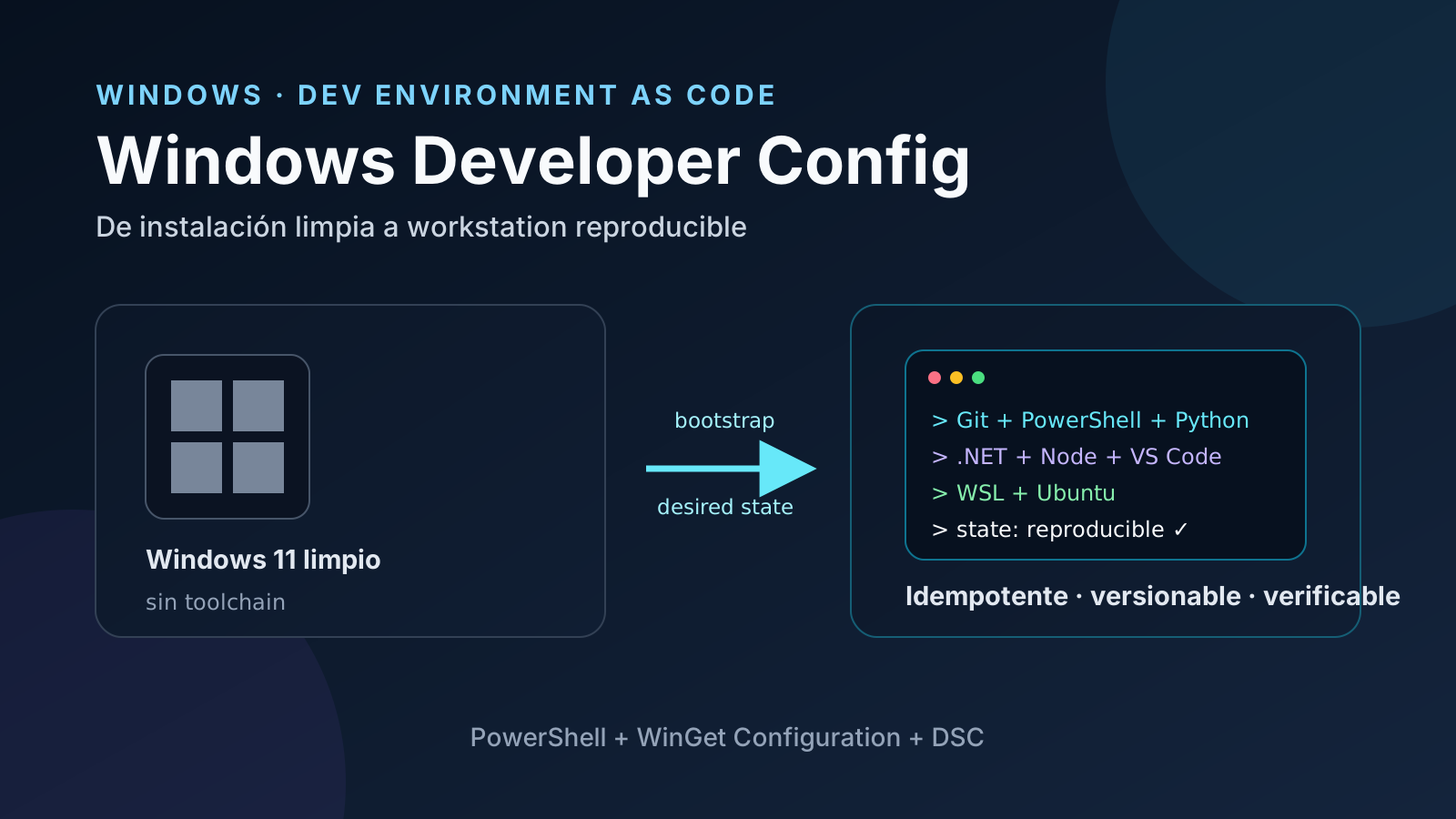
Setting up a development PC usually starts with a checklist nobody wants to execute twice: install Git, PowerShell, Python, Node, .NET, VS Code, WSL, a decent terminal and fonts, change Windows settings, then discover the one missing dependency.
Microsoft is trying to move that process closer to infrastructure as code for the developer workstation.
The open-source WindowsDeveloperConfig project can take a clean Windows 11 installation toward a repeatable development setup. The important idea is not merely “install many apps with one command.” It is the ability to automate or describe machine state, reapply the setup, and repair drift without rebuilding the workstation by hand.
There is one important nuance: the repository is not a single conventional app, and not every path uses the same implementation.
Three paths inside the project
Microsoft currently groups three experiences in the repository:
- Windows Dev Config: prepares a complete Windows 11 workstation, including tools, OS settings, terminal configuration, and WSL.
- WSL Comfort: builds a more polished shell experience inside WSL.
- Workloads: installs specific toolchains such as Node, Python, SQL, PowerShell, .NET, Rust, Go, Java, PHP, WinForms, or WinUI 3.
The implementation split is particularly interesting.
The full Windows Dev Config is PowerShell-native. Microsoft explains that this flow must handle work that does not fit neatly into a single declarative configuration: elevation, a required reboot, automatic resume after reboot, and interactive progress.
By contrast, most individual workloads use WinGet Configuration and PowerShell DSC to express desired state.
That gives the repository two complementary models:
Full Windows setup
    |
    +--> idempotent PowerShell
         + elevation
         + reboot
         + resume
         + OS configuration

Specific workload
    |
    +--> WinGet Configuration
         + DSC
         + declarative YAML
         + desired state
Bootstrapping the full workstation
From Windows PowerShell 5.1 or PowerShell 7, download the signed production wrapper and verify its Authenticode signature and Microsoft publisher before execution:
$ErrorActionPreference = 'Stop'
$url = 'https://raw.githubusercontent.com/microsoft/WindowsDeveloperConfig/main/windows-dev-config/setup-full.ps1'
$script = Join-Path $env:TEMP ("devconfig-" + [guid]::NewGuid() + ".ps1")
try {
    Invoke-WebRequest -UseBasicParsing -Uri $url -OutFile $script
    $signature = Get-AuthenticodeSignature -FilePath $script
    if ($signature.Status -ne 'Valid' -or
        $signature.SignerCertificate.Subject -notmatch '(^|,\s*)O=Microsoft Corporation(,|$)') {
        throw 'Invalid signature or unexpected publisher; stopping.'
    }
    powershell.exe -NoProfile -ExecutionPolicy AllSigned -File $script
    if ($LASTEXITCODE -ne 0) { throw 'Setup did not complete successfully.' }
} finally {
    Remove-Item -LiteralPath $script -ErrorAction SilentlyContinue
}
The child PowerShell process uses AllSigned so the default Restricted policy on a clean installation does not block the verified script. This setting is limited to that process and does not override organizational Group Policy. A publisher trust prompt may appear; confirm that the publisher is Microsoft. If policy still forbids execution, consult the administrator rather than changing those rules.
The bootstrap requests elevation when necessary, downloads the repository, verifies signed production scripts, and keeps the setup payload in a protected location under %ProgramData%.
On a clean machine, Microsoft estimates roughly 30 minutes with a good connection.
The setup installs and configures tools including:
- Windows Terminal
- PowerShell 7
- Git
- GitHub CLI
- GitHub Copilot CLI
- Visual Studio Code
- .NET SDK 10
- Python 3.14 and
uv - Node.js LTS and
nvm - Coreutils for Windows
- Windows App CLI
- Oh My Posh
- PowerToys
- WSL + Ubuntu
It also changes system settings such as Developer Mode, long-path support, Explorer defaults, Terminal, Start/Search behavior, widgets, and other developer-oriented preferences.
The reboot becomes part of the workflow
WSL requires Windows components that force a reboot.
A traditional installer could stop there and leave the rest to the user. Windows Dev Config treats that reboot as part of the automation.
The setup runs its initial phases, enables WSL, warns before rebooting, and arranges to continue after the user signs in again. A second UAC consent appears after reboot and the remaining work continues.
This matters. A bootstrap is not truly reproducible just because it is a large script; it must also survive unavoidable operating-system interruptions.
Idempotence: running it twice should not duplicate the world
Idempotence is another core property.
The project checks current state before applying changes. If something is already configured, another run should avoid doing the same work unnecessarily. If a phase was incomplete or flagged, a later run can concentrate on repairing what remains.
Conceptually:
current state
     +
expected configuration
     |
     v
compare
     |
     +--> already correct -> no action
     |
     +--> drift exists -> repair
That is the same mental model engineers already use for servers, pipelines, and clusters.
WinGet Configuration: the declarative side
For smaller workloads, Microsoft uses WinGet Configuration, backed by PowerShell DSC resources.
Instead of an imperative recipe such as:
download Git
install Git
download PowerShell
install PowerShell
change this setting
run this script
a configuration declares what should exist.
The following example requires WinGet 1.11 or later and the dscv3 processor. Check with winget --version; WinGet installs the processor automatically when needed. It is a rolling configuration: useLatest: true deliberately follows available package updates, so it does not guarantee identical versions over time. For an environment pinned to specific releases, use reviewed version: values and maintain them explicitly.
A minimal v3-style example can look like this:
$schema: https://raw.githubusercontent.com/PowerShell/DSC/main/schemas/2023/08/config/document.json

metadata:
  winget:
    processor:
      identifier: dscv3

resources:
  - type: Microsoft.WinGet/Package
    name: Git
    properties:
      id: Git.Git
      source: winget
      useLatest: true

  - type: Microsoft.WinGet/Package
    name: PowerShell
    properties:
      id: Microsoft.PowerShell
      source: winget
      useLatest: true
The important shift is that the file describes what must be true, rather than a fragile sequence of steps.
You can validate it:
winget configure validate -f .config/configuration.wingettest whether the machine already conforms:
winget configure test -f .config/configuration.wingetand apply it:
winget configure -f .config/configuration.wingetThat enables a powerful pattern: version the environment definition beside the code.
repo/
├── .config/
│   └── configuration.winget
├── src/
├── tests/
└── README.md
A new workstation no longer depends entirely on an outdated wiki page or someone’s memory.
From documented setup to executable setup
Many teams still maintain documents that effectively say:
1. install Git
2. install Python
3. change this option
4. configure WSL
5. install Node
6. add these variables
7. reboot
8. run this script
A guide is a human description of a process. It does not guarantee that two developers reach the same result.
An executable configuration can become a verifiable contract.
A useful progression is:
| Level | What it preserves | Main weakness |
|---|---|---|
| README | instructions | depends on the human |
| imperative script | steps | can accumulate unexpected state |
| idempotent configuration | desired state | can verify and repair drift |
Windows Developer Config does not solve every workstation problem, but it clearly pushes Windows setup toward the third level.
It also matters for runners and agents
This approach is not limited to developer laptops.
A Windows machine acting as a CI runner, worker, or agent host often accumulates invisible dependencies:
- a specific Python version;
- Git and GitHub CLI;
- PowerShell;
- a .NET runtime;
- helper tools;
- environment configuration;
- Windows options;
- WSL;
- policies and services.
As long as that setup exists only on the machine, the host is hard to rebuild.
Once state is versioned:
Git
 |
 +--> host configuration
       |
       +--> machine A
       +--> machine B
       +--> ephemeral runner
       +--> recovery environment
the machine stops behaving like a carefully maintained pet and starts looking more like a replaceable resource.
Autonomous agents benefit too. An agent can verify preconditions before working instead of assuming that “Git is probably installed.” The environment itself can expose a testable contract.
Security is still part of the design
The convenience of a one-liner does not remove the trust problem.
Microsoft recommends reviewing WinGet Configuration files before running them, because a configuration may install packages, load DSC resources, and make elevated changes.
The full bootstrap also models its trust chain explicitly. The production path verifies Microsoft Authenticode signatures and uses protected locations for scripts that must survive the reboot. The -AllowUnsigned switch is intended for development of the project itself and skips those signature checks; it should not be confused with the normal production path.
Automation removes manual steps. It does not remove the need to understand which code receives administrative privileges.
The pattern worth copying
The most reusable part of Windows Developer Config is not today’s exact software list. That list will change.
The durable pattern is:
define
  ↓
version
  ↓
validate
  ↓
apply
  ↓
test
  ↓
reapply when drift appears
That cycle is what made infrastructure as code valuable for servers.
Now it is becoming increasingly explicit on developer desktops.
An organization could maintain profiles such as:
windows-base/
python-worker/
dotnet-developer/
frontend-developer/
ci-runner/
agent-host/
Each profile would contain only the tools and policies that role needs.
The result is not merely a faster installation. It is something more useful: a machine configuration that can be reviewed, reproduced, and rebuilt.