 Capital de Tokens
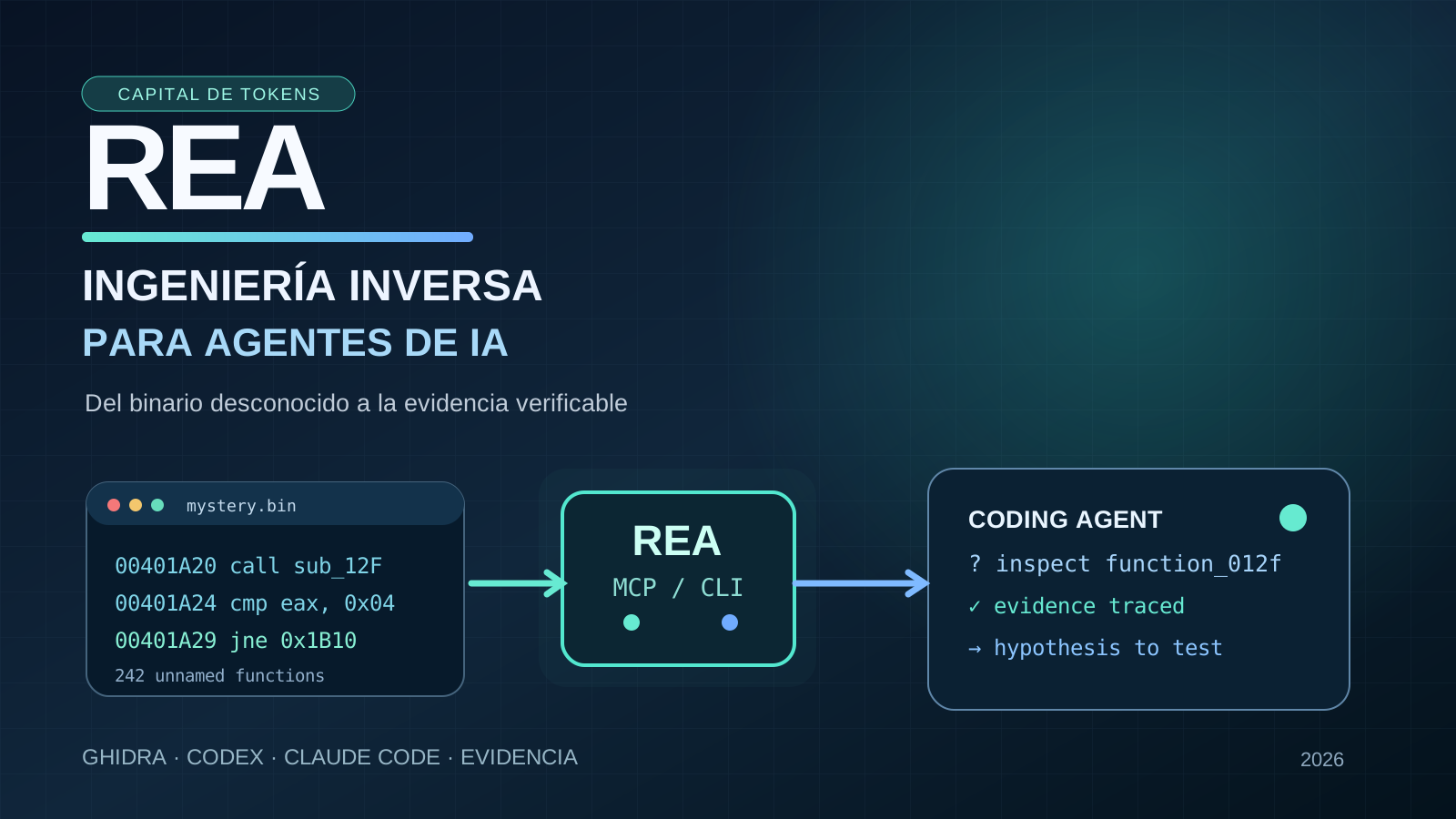
What happens when a coding agent needs to understand an application but does not have its repository or source code?
Traditionally, this has required someone experienced with disassemblers, debuggers, and decompilers. They inspect a binary, identify functions, follow calls, and test hypotheses. The tools are still essential, but REA (Reverse Engineer Anything) changes who can coordinate the investigation.
REA is an open-source project connecting agents such as Codex, Claude Code, and Cursor to reverse-engineering tools through a command-line interface and MCP (Model Context Protocol). The agent does not magically guess lost source code: it requests technical evidence, interprets outputs, identifies gaps, and decides what to inspect next.
The distinction matters: an agent grounded in evidence is different from a model producing a persuasive explanation.
This article takes Jorge Marfil’s October 13, 2026 video about REA as a starting point and checks the project’s capabilities against its official documentation.
From reading repositories to investigating executables
A typical coding agent works inside a repository: it opens files, searches for symbols, runs tests, and proposes changes. When all we have is a compiled application, those operations are not enough.
A REA-assisted workflow looks like this:
Question: “How does this feature work?”
                  |
                  v
      Agent (Codex / Claude)
                  |
                  v
             REA MCP / CLI
                  |
        +---------+---------+
        |                   |
   Ghidra / IDA / Hopper    JS / Electron analysis
        |                   |
        +---------+---------+
                  |
                  v
   Pseudocode, calls, strings, imports,
      references, artifact evidence
                  |
                  v
     Hypothesis -> inspection -> test
REA is an integration and orchestration layer. Deep native-binary inspection requires a specialized engine such as Ghidra, Hopper, or IDA. Static JavaScript and Electron analysis uses different mechanisms and prerequisites. Its documentation also describes .NET assemblies, Android packages, firmware, captures, and other formats, but not all features work with a bare installation.
Unlike asking an LLM to “explain this executable,” the agent can link claims to observed functions, instructions, and relationships and identify missing evidence.
The demonstration: a safe and 242 unnamed functions
A central example in the video involves a safe application prepared by the presenter. The source code is unavailable, and 242 function names have been removed. The challenge is to locate the code that determines the unlock combination.
Why is this instructive?
The agent cannot simply search for a function named check_password. It has to follow references, inputs, comparisons, and relevant execution paths, drawing on Ghidra and REA outputs.
The lesson is not that a real safe or any complicated program is easy to reverse engineer. Rather, the agent can participate in technical investigation even when the original naming and structure are gone.
The demonstration is controlled. By itself, it does not establish REA’s reliability against sophisticated protections, obfuscation, external dependencies, or runtime-only behavior. It does not establish that the original source code has been restored.
Decompilation is not source-code recovery
Three outcomes should remain distinct:
| Outcome | What it provides | What it does not guarantee |
|---|---|---|
| Disassembly | Interpreted machine instructions | Original naming or intent |
| Pseudocode | A more readable view of certain functions | Exact source, comments, or original architecture |
| Functional reimplementation | New code modeled on observed behavior | Identical source, complete equivalence, or copying rights |
Compilation loses information. Decompilation can reveal useful relationships, but it cannot reliably recreate names, comments, and design decisions discarded during compilation.
The defensible claim is “investigate and reconstruct behavior with evidence,” not “clone any application with one prompt.”
Where it can help in real projects
1. Legacy software. Investigate an older tool after its original maintainers and source code have become unavailable, documenting formats and behavior.
2. Interoperability. Understand observable interfaces when there is a legitimate compatibility need, with appropriate technical and legal review.
3. Security research. Inspect owned or authorized binaries and suspicious artifacts; trace execution paths and check hypotheses.
4. Replacing a feature. Study a behavior and design an independently tested implementation, without confusing functional similarity with verbatim copying.
5. Desktop applications. Examine modules, imports, and IPC boundaries in JavaScript/Electron applications supported by the tools.
One especially useful benefit is a lower exploration cost: experts can review agent-prioritized questions and evidence rather than navigating every unrelated function manually.
Getting started without mistaking features for guarantees
The official repository provides an onboarding command for supported agents:
npx rea-agents setupThis requires a compatible Node.js environment and changes the selected agent’s configuration. Review both the official package and proposed changes before approving them, then restart the relevant agent. Configure a native analysis engine separately when the task requires one.
Start with an owned lab application, ask one narrowly scoped question, and require a reproducible report:
- Exact artifact, tools, and versions used.
- Functions, addresses, or modules supporting each conclusion.
- Direct observations separated from inferences.
- Open questions and possible verification methods.
- Tests comparing the reconstruction to observed behavior.
Without such an evidence contract, technical investigation risks becoming automated storytelling.
Security, data, and permission boundaries
REA says target analysis happens locally, but that does not mean every part of the workflow stays on-device. Tool results sent to an agent may be processed by its model provider under that provider’s policies.
There is also a trust boundary: an unfamiliar program, website, or capture may contain attacker-controlled material. If an agent treats extracted content as commands, indirect prompt injection becomes a concern. Practical safeguards include:
- analyzing software you own or are authorized to inspect;
- isolating dynamic analysis and minimizing permissions;
- keeping credentials out of the agent’s reach;
- treating extracted content as data, not instructions;
- reviewing generated code before running it;
- respecting third-party software terms and tool licenses.
REA’s MIT license does not grant rights to commercial analysis tools or unrelated third-party applications.
Conclusion: a new interface to an established discipline
REA does not invent reverse engineering, replace Ghidra, or eliminate expert scrutiny. It provides an agent-facing interface between a human question and evidence-producing tools.
That opens an interesting possibility: a coding agent can go beyond writing from specifications to investigating existing behavior and subjecting its own hypotheses to verification.
The breakthrough is not the claim that “AI can decode any binary.” It is a traceable workflow:
question → observation → hypothesis → verification → tested implementation.
Sources and references
- Jorge Marfil, REA video (October 13, 2026)
- 96ia, independent summary of Jorge Marfil’s video (October 13, 2026)
- Official repository: morluto/rea
- README: supported targets, prerequisites, and installation
- Responsible-use guidance
Editorial note: details of the demonstration were cross-checked against 96ia’s independent video summary; the complete video transcript was not available. REA’s specifications were checked against its official repository. No independent audit of REA’s performance is claimed.